• Latest
  • Trending
  • All
  • News
  • Business
  • Politics
  • Science
  • World
  • Lifestyle
  • Tech
Android 16 QPR1 OTA

Android 16 QPR1 ‘No Data Wipe’ OTA Reaches Pixel

September 13, 2025
Material 3 Expressive Redesign

Google Brings Material 3 Expressive Redesign to Wear OS Apps

October 4, 2025
Digital Gift Cards

Google Play Store Adds Digital Gift Cards for Instant Sharing

October 4, 2025
Google Wallet Material 3 redesign

Google Wallet expands Material 3 redesign rollout

October 3, 2025
Full-screen account menu

Full-screen account menu arrive in Google apps for a unified look

October 3, 2025
YouTube Music updated icons

YouTube Music refreshes its look with updated icons

October 2, 2025
FAB new location button

Google Maps on Android gets FAB new location button

October 2, 2025
Google Home Speaker

The new Google Home Speaker will debut in 2026

October 2, 2025
Google Drive AI ransomware detection

Google Drive desktop gets AI ransomware detection

October 1, 2025
High Blood Pressure Screening

Google Explores Pixel Watch High Blood Pressure Screening

September 30, 2025
Google Drive Super-Fast AI Scanner

Google Drive Rolls Out Tests for Super-Fast AI Scanner

September 30, 2025
‘Ask Home’

Google Home App Redesign Brings ‘Ask Home’ to iPhone

September 29, 2025
Material 3 Expressive Redesign

Where Google’s Material 3 Expressive Redesign Is Arriving

September 29, 2025
FuchsiaWire
  • Fuchsia OS
  • Android
    • Samsung
    • Android 13
    • Android 14
    • Auto
    • OnePlus
    • Oppo
    • Wear OS
  • Nest
    • Nest Audio
    • Nest Cam
    • Nest Doorbell
    • Nest Hub
    • Nest Hub Max
    • Nest Mini
    • Nest Thermostats
  • Chrome
    • Google Chrome
    • ChromeOS
  • TV
    • Google TV
    • Android TV
    • Chromecast
  • Workspace
    • Gmail
    • Google Calender
    • Google Chat
    • Google Docs
    • Google Drive
    • Google Keep
    • Google Meet
  • Pixel
    • Pixel 7
    • Pixel 7 Pro
    • Pixel 8 pro
    • Pixel Buds Pro
    • Pixel watch
    • Pixel watch 2
  • YouTube
    • YouTube
    • YouTube Music
    • YouTube TV
  • Reviews
  • Exclusives
No Result
View All Result
FuchsiaWire
No Result
View All Result
Home Android

Android 16 QPR1 ‘No Data Wipe’ OTA Reaches Pixel

by Dan Burrows
September 13, 2025
in Android
0
Android 16 QPR1 OTA
501
SHARES
1.4k
VIEWS
Share on FacebookShare on Twitter

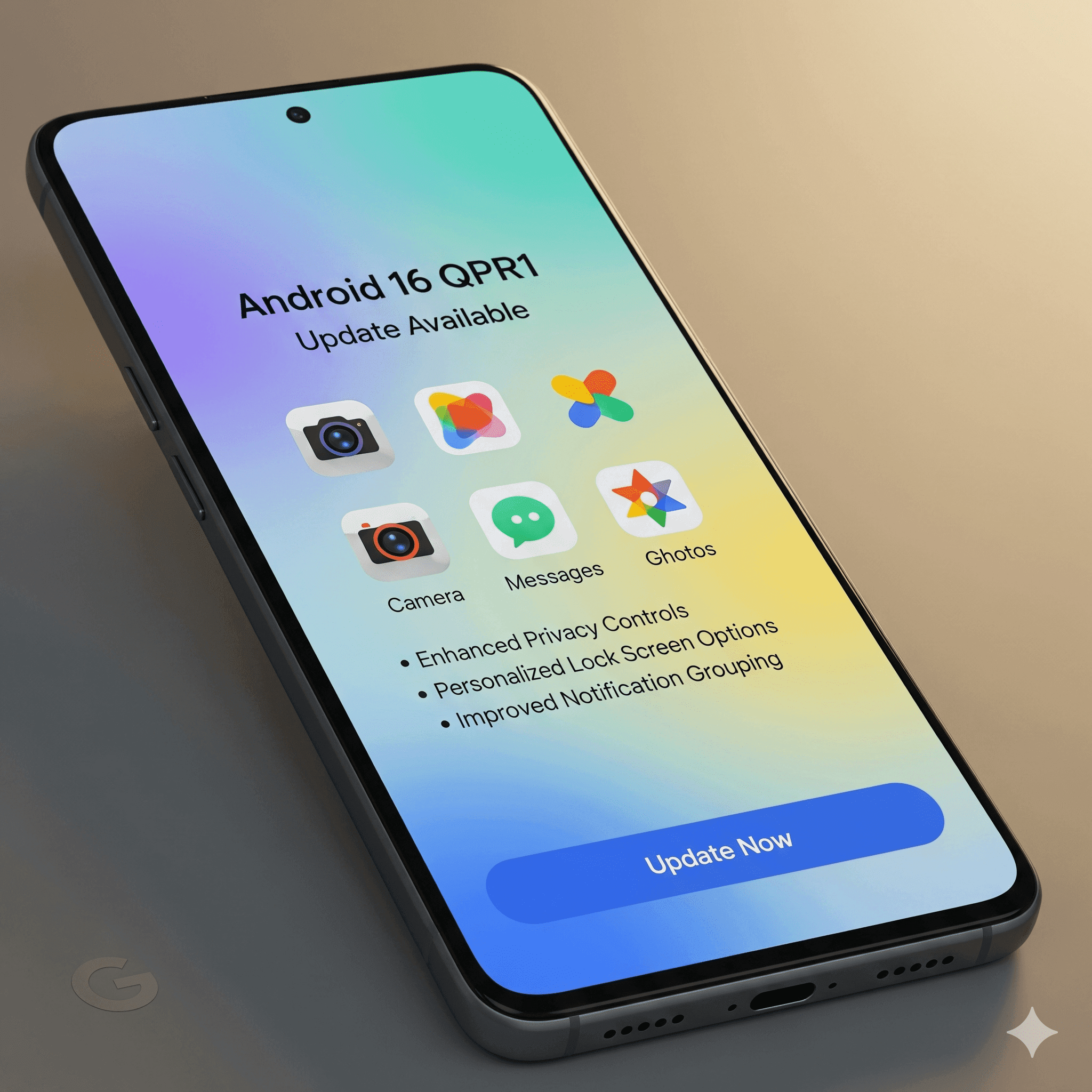
Android 16 Quarterly Platform Release 1 (QPR1) is finally available to supported Pixel devices. In this update, the no Data Wipe over-the-air (OTA) update is good news to users who had tried the Android 16 beta.

It allows them to upgrade to the stable release without wiping their data. This update represents a huge step in not just the key features it delivers, but also the seamless transition it provides to many users. 

Table of Contents

Toggle
  • What the No Data Wipe Means to the user
  • Massive Design Overhaul and Major Features
    • Desktop Mode: 
    • Larger Quick Settings Tiles: 
    • Better UI Animation: 
    • Smaller At a Glance Widget: 
  • How to Get the Update
  • Conclusion
  • Frequently Asked Questions 

What the No Data Wipe Means to the user

To users who participated in the Android 16 beta program, a transition to a stable release was previously equivalent to a complete factory reset, which wiped all information stored on the phone. 

Android 16 QPR1 OTA updates that. In case a customer was on a recent QPR1 beta build and went out of beta before receiving the next beta, they will receive a special OTA update. 

It allows them to transfer their files, applications, and settings to the stable available version of the QPR1, without the need to retest in the beta version. It is a significant shift that eases the user participation in the beta programs at Google for those who may wish to quit later.

Massive Design Overhaul and Major Features

Android 16 QPR1 introduces a significant feature release featuring the long-desired Material 3 Expressive design system. It is the largest redesign Android has gone through in several years, and the user interface has noticeable changes. Among the features and updates are:

Desktop Mode: 

Desktop On Pixel phones that have a display driven by USB-C (Pixel 8 and above), QPR1 provides a complete desktop architecture. This mode, similarly to Samsung DeX, can be used to connect to a monitor, allowing the user to interact with their phone in a taskbar, windowed application, and the like.

Larger Quick Settings Tiles: 

The Quick Settings menu has become resizable. Tiles may reduce in size so that they turn from 2×1 to 1×1 to present more information in one image.

Redone Settings App: The Settings app is neater and more colorful. The sections are illustrated by pastel-colored icons, which are easier and pleasant to navigate.

Better UI Animation: 

The entire interface is less jerky, and new physics-based effects provide a bouncing effect when performing a swipe to dismiss notifications.

Smaller At a Glance Widget: 

The popular At a Glance Widget is also smaller, which leaves a full additional row open on the home screen to add additional apps or other widgets.

How to Get the Update

Android 16 QPR1 is an OTA version of Android. The update is available on all compatible Pixel devices (Pixel 6 and more). Not part of the beta program, then just be sure to check the update in the settings of your phone:

Open System> System update.

Tap “Check for update.”

Conclusion

The Android 16 QPR1 release is a milestone for Pixel users. The beta testers came out with a big winner. In addition to the massive new features.

There was also the No Data Wipe switch. It compensates their effort, and it becomes much easier to leave the beta. This is not a mere list of features but an indication of how Google wants to make Android sleeker, more robust, and easier to use.

Frequently Asked Questions 

Does Google Android 16 QPR1 exist? 

The stable OTA is being deployed to compatible Pixels. It is a gradual process, and not everybody can get it immediately.

What does “No Data Wipe” mean? 

It is an exclusive OTA to Android 16 QPR1 beta users. It allows them to change to the stable release without a factory reset or loss of data.

Do not all people receive “No Data Wipe” OTA? 

No, it is the case of QPR1 beta users who did not contact the stable release previously.

Which new features are the most important? 

Large ones are the Material 3 Expressive design, Desktop Mode, resizable Quick Settings tiles, and a new Settings app.

Which Pixels are getting it? 

The update is being implemented on Pixel 6 and Pixel 7, and Pixel 8 phones, as well as the Pixel Tablet and the Pixel Fold.

Is there anything I am supposed to do? 

Not in beta, simply update. In case you were in beta, also ensure that you selected out in time to receive the no-wipe OTA.

What is Desktop Mode? 

It allows Pixel phones to be hooked up to a monitor and display a desktop-like interface, such as Samsung DeX.

Is it possible to retain the previous UI, which I do not like the new one? 

No, after being updated to Android 16 QPR1, the Material 3 design is the default one and can not be switched back.


Share200Tweet125
Dan Burrows

Dan Burrows

Dan Burrows is a tech aficionado on a mission to decode the complexities of the digital age. Armed with a curiosity for cutting-edge technology and a talent for storytelling, Dan's articles captivate readers and shed light on the transformative power of innovation. From exploring AI advancements to dissecting cybersecurity challenges, Dan's writing strikes the perfect balance between depth and accessibility, making him a go-to source for tech insights.

  • Trending
  • Comments
  • Latest
One UI 8.5

Samsung Phones See Large Upgrades with One UI 8.5

September 27, 2025
Fuchsia Version 16 Rolling Out to Nest Hub Devices

Fuchsia Version 16 Rolling Out to Nest Hub Devices

August 28, 2025
What June 2025 Brings to Google System Update

Android’s March 2025 Google System Updates

August 13, 2025
Material 3 Expressive Redesign

Google Brings Material 3 Expressive Redesign to Wear OS Apps

5
Samsung's Now Bar Might Actually Be Useful in One UI 8

Dеlеtе Unwantеd Googlе Account on Your Mobilе

2
Google Pixel

The­ Cutting-Edge Feature­s Introduced In The Latest Google­ Pixel

1
Material 3 Expressive Redesign

Google Brings Material 3 Expressive Redesign to Wear OS Apps

October 4, 2025
Digital Gift Cards

Google Play Store Adds Digital Gift Cards for Instant Sharing

October 4, 2025
Google Wallet Material 3 redesign

Google Wallet expands Material 3 redesign rollout

October 3, 2025
FuchsiaWire

Copyright © 2015 FuchsiaWire.

FuchsiaWire

  • About
  • Privacy & Policy
  • Contact
  • Privacy Policy
  • Disclaimer

Follow Us

No Result
View All Result
  • Fuchsia OS
  • Android
    • Samsung
    • Android 13
    • Android 14
    • Auto
    • OnePlus
    • Oppo
    • Wear OS
  • Nest
    • Nest Audio
    • Nest Cam
    • Nest Doorbell
    • Nest Hub
    • Nest Hub Max
    • Nest Mini
    • Nest Thermostats
  • Chrome
    • Google Chrome
    • ChromeOS
  • TV
    • Google TV
    • Android TV
    • Chromecast
  • Workspace
    • Gmail
    • Google Calender
    • Google Chat
    • Google Docs
    • Google Drive
    • Google Keep
    • Google Meet
  • Pixel
    • Pixel 7
    • Pixel 7 Pro
    • Pixel 8 pro
    • Pixel Buds Pro
    • Pixel watch
    • Pixel watch 2
  • YouTube
    • YouTube
    • YouTube Music
    • YouTube TV
  • Reviews
  • Exclusives

Copyright © 2015 FuchsiaWire.