• Latest
  • Trending
  • All
  • News
  • Business
  • Politics
  • Science
  • World
  • Lifestyle
  • Tech
What is the ‘SafetyCore’ app on my Android device?

What is the ‘SafetyCore’ app on my Android device?

August 9, 2025
Material 3 Expressive Redesign

Google Brings Material 3 Expressive Redesign to Wear OS Apps

October 4, 2025
Digital Gift Cards

Google Play Store Adds Digital Gift Cards for Instant Sharing

October 4, 2025
Google Wallet Material 3 redesign

Google Wallet expands Material 3 redesign rollout

October 3, 2025
Full-screen account menu

Full-screen account menu arrive in Google apps for a unified look

October 3, 2025
YouTube Music updated icons

YouTube Music refreshes its look with updated icons

October 2, 2025
FAB new location button

Google Maps on Android gets FAB new location button

October 2, 2025
Google Home Speaker

The new Google Home Speaker will debut in 2026

October 2, 2025
Google Drive AI ransomware detection

Google Drive desktop gets AI ransomware detection

October 1, 2025
High Blood Pressure Screening

Google Explores Pixel Watch High Blood Pressure Screening

September 30, 2025
Google Drive Super-Fast AI Scanner

Google Drive Rolls Out Tests for Super-Fast AI Scanner

September 30, 2025
‘Ask Home’

Google Home App Redesign Brings ‘Ask Home’ to iPhone

September 29, 2025
Material 3 Expressive Redesign

Where Google’s Material 3 Expressive Redesign Is Arriving

September 29, 2025
FuchsiaWire
  • Fuchsia OS
  • Android
    • Samsung
    • Android 13
    • Android 14
    • Auto
    • OnePlus
    • Oppo
    • Wear OS
  • Nest
    • Nest Audio
    • Nest Cam
    • Nest Doorbell
    • Nest Hub
    • Nest Hub Max
    • Nest Mini
    • Nest Thermostats
  • Chrome
    • Google Chrome
    • ChromeOS
  • TV
    • Google TV
    • Android TV
    • Chromecast
  • Workspace
    • Gmail
    • Google Calender
    • Google Chat
    • Google Docs
    • Google Drive
    • Google Keep
    • Google Meet
  • Pixel
    • Pixel 7
    • Pixel 7 Pro
    • Pixel 8 pro
    • Pixel Buds Pro
    • Pixel watch
    • Pixel watch 2
  • YouTube
    • YouTube
    • YouTube Music
    • YouTube TV
  • Reviews
  • Exclusives
No Result
View All Result
FuchsiaWire
No Result
View All Result
Home Android

What is the ‘SafetyCore’ app on my Android device?

by Muhammad Yousuf
August 9, 2025
in Android
0
What is the ‘SafetyCore’ app on my Android device?
491
SHARES
1.4k
VIEWS
Share on FacebookShare on Twitter

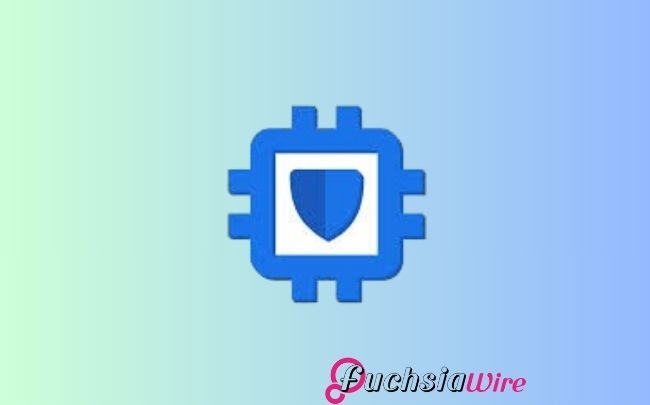
If you’ve browsed through your Android phone’s app list, you probably came across a SafetyCore app. This differs from third-party apps that you install yourself. It is a crucial system component in improving your device’s safety and emergency response capabilities.

The essential Android service is designed to help with several security, emergency, and safety-related functions. So that your device can provide critical assistance in an emergency. Although Google hasn’t released all of its features, it is thought that this is part of an emergency location, safety alert, and other security features.

Table of Contents

Toggle
  • SafetyCore
  • What Does SafetyCore Do?
  • Why Can’t I Find a SafetyCore Icon?
  • Is SafetyCore Safe?
  • Can I Disable SafetyCore?
  • What is the Need to Use Location Services?
  • In Summary

SafetyCore

SafetyCore is not an application you interact with directly. It is a framework or service that other apps, especially those related to safety and emergency services, rely on. 

In other words, the underlying engine powers these safety features. This one is responsible for managing and coordinating safe-related functionalities.

What Does SafetyCore Do?

SafetyCore’s primary focus is to provide the safety apps the required environment for them to function properly, including:

Accurate and reliable location determination for emergency services to find you meaningfully. Location permissions and access are being managed for safety apps. Facilitating Emergency SOS features that let you call for help in one press of a button or gesture.

Auto emergency assistance: In conjunction with sensors, Crash Detection automatically alerts emergency services in case of car crashes.

Other Personal Safety Features include sharing your location with trusted contacts and receiving a safety alert. The non-monopoly integration with Emergency apps gives third-party emergency apps a common way of accessing emergency app-dependent information and functionalities.

Why Can’t I Find a SafetyCore Icon?

You will probably not find the SafetyCore icon in the app drawer because it is not a normal, visible application. However, rather than being direct, this is a background service. It works quietly away in the background without any interaction from you. 

Unlike regular apps you can open and use, SafetyCore runs automatically. So, these essential safety and emergency components work as they should. That’s because it is integrated into the Android system; it stays out of plain sight. It does only what it needs to do without affecting your daily usage.

Is SafetyCore Safe?

Yes, SafetyCore is a genuine and safe feature of the Android system. Google developed it to play a significant role in the Android ecosystem and provide security and emergency functions. 

As an official system component, SafetyCore has been made secure. It is updated regularly to handle potential vulnerabilities and maintain performance. It is part of Google’s continuing improvements in its safety features, which operate unnoticeably in the background.

Can I Disable SafetyCore?

You should generally not suppress SafetyCore. It is a vital system part that guarantees the correct performance of your Android device’s safety. 

It is crucial to provide security and location-based emergency services. Other protective services are more effective; disabling one may prevent you from using important safety features when needed. 

SafetyCore is enabled to keep the device on and ready to support in any emergency. It is an important part of Android’s overall security framework.

What is the Need to Use Location Services?

SafetyCore will need access to the location to enable safety features like Emergency SOS, crash detection, and location sharing. These features are effective only when location information is accurate. 

But SafetyCore will not access your location unless you use these features. It does not constantly trace your location. Using your phone’s settings, you can manage location permissions for each app utilizing SafetyCore.

In Summary

This is why SafetyCore is a useful background service on your Android phone that powers some safety features. It is not an app that you will directly interact with. However, it’s important to have it to protect your safety and well-being. 

This is safe and legitimate and should not be disabled. It is like the unsung hero of your phone’s safety system’ working behind the scenes to keep you safe.

Related Reading: Pixel’s Battery Health feature is getting refined in Android 16 Beta

Share196Tweet123
Muhammad Yousuf

Muhammad Yousuf

Muhammad Yousuf is a Tech writer, known for his ability to simplify complex tech topics. With a passion for exploring cutting-edge technologies, he offers insightful analysis and clear explanations in his work. Muhammad can be seen at varoius popular websites like Netflixsavvy.com as a streaming writer and btc politan.com as crypto writer.

  • Trending
  • Comments
  • Latest
One UI 8.5

Samsung Phones See Large Upgrades with One UI 8.5

September 27, 2025
Fuchsia Version 16 Rolling Out to Nest Hub Devices

Fuchsia Version 16 Rolling Out to Nest Hub Devices

August 28, 2025
What June 2025 Brings to Google System Update

Android’s March 2025 Google System Updates

August 13, 2025
Samsung's Now Bar Might Actually Be Useful in One UI 8

Dеlеtе Unwantеd Googlе Account on Your Mobilе

2
Google Pixel

The­ Cutting-Edge Feature­s Introduced In The Latest Google­ Pixel

1
Googlе’s Nеw Policy: Dеlеting Inactivе Gmail Accounts

Googlе’s Nеw Policy: Dеlеting Inactivе Gmail Accounts

1
Material 3 Expressive Redesign

Google Brings Material 3 Expressive Redesign to Wear OS Apps

October 4, 2025
Digital Gift Cards

Google Play Store Adds Digital Gift Cards for Instant Sharing

October 4, 2025
Google Wallet Material 3 redesign

Google Wallet expands Material 3 redesign rollout

October 3, 2025
FuchsiaWire

Copyright © 2015 FuchsiaWire.

FuchsiaWire

  • About
  • Privacy & Policy
  • Contact
  • Privacy Policy
  • Disclaimer

Follow Us

No Result
View All Result
  • Fuchsia OS
  • Android
    • Samsung
    • Android 13
    • Android 14
    • Auto
    • OnePlus
    • Oppo
    • Wear OS
  • Nest
    • Nest Audio
    • Nest Cam
    • Nest Doorbell
    • Nest Hub
    • Nest Hub Max
    • Nest Mini
    • Nest Thermostats
  • Chrome
    • Google Chrome
    • ChromeOS
  • TV
    • Google TV
    • Android TV
    • Chromecast
  • Workspace
    • Gmail
    • Google Calender
    • Google Chat
    • Google Docs
    • Google Drive
    • Google Keep
    • Google Meet
  • Pixel
    • Pixel 7
    • Pixel 7 Pro
    • Pixel 8 pro
    • Pixel Buds Pro
    • Pixel watch
    • Pixel watch 2
  • YouTube
    • YouTube
    • YouTube Music
    • YouTube TV
  • Reviews
  • Exclusives

Copyright © 2015 FuchsiaWire.